
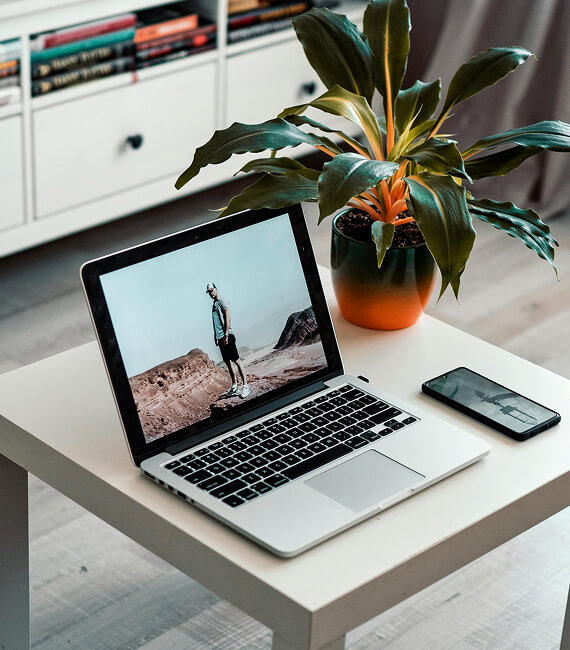

A home office setup can look inviting and still make everyday work harder than it needs to be. The laptop, phone and plant in this image create a calm corner, but a photograph cannot show whether the screen height is comfortable or interruptions are manageable. Building a useful workspace means looking beyond the styling and considering how a real working day unfolds.
Choose the location for your home office setup
Start by listing the activities the space must support. Writing requires sustained attention; video calls need a suitable background and manageable noise; design work may need room for an external display. A compact table can be enough for occasional administration, but it may become frustrating when every task requires moving other objects out of the way.
Observe the room at different times before committing to a position. A quiet morning corner may become a busy passage later. Sunlight can shift across the screen, and nearby appliances may interfere with calls. Your home office setup should fit the household's real rhythms rather than an imagined version of a perfectly silent home. Agreeing on boundaries can matter as much as buying equipment.

Make the laptop position sustainable
A laptop joins the screen and keyboard, which creates an unavoidable compromise: raising one changes the position of the other. For extended sessions, a separate keyboard and mouse can allow the display to sit higher without forcing an awkward typing posture. Use a stable stand if needed and leave sufficient room for your forearms and input devices.
Adjust before you replace
Experiment with chair height, screen distance and the position of frequently used items. Keep the feet supported and avoid reaching sideways for the mouse all day. Comfort needs vary, so no photograph can provide a universal ergonomic prescription. If discomfort persists, seek appropriate professional guidance rather than treating a new accessory as a guaranteed solution. Regular changes of position are also part of the workspace.
Plan lighting for your home office setup
Natural light can make a small desk feel pleasant, but reflections can undermine visibility. Position the screen so a bright window is not directly behind it or reflected across its surface. A simple adjustable lamp can support reading and note-taking when daylight fades. Check how your face appears on calls without turning the room into a studio.
The plant in the image contributes texture and visual warmth. That is a valid design choice, not proof of a productivity benefit. Keep decorative items where they do not block ventilation, consume needed writing space or create a spill risk. A good home office setup leaves room for the work itself while still feeling like a place you want to use.

Give the phone a defined role
A phone can provide authentication, call access and a backup connection. It can also fragment attention. Decide when it needs to be within reach and when it belongs elsewhere. Use notification controls to separate urgent contact from routine alerts, and avoid placing the screen beside every document simply because the desk photograph looks balanced that way.
Prepare a short start-of-day routine: connect power, open the required files, check the calendar and choose a clear first task. At the end, save work and note the next step. These transitions help a home office setup function as a work environment even when the room serves other purposes. Physical boundaries are useful, but repeatable habits can create boundaries too.
Keep remote work secure and recoverable
Comfort is only one part of the arrangement. Enable device locking, use strong authentication where available and keep operating systems and work applications updated. Store work according to your organization's rules. Avoid assuming that a personal cloud account is appropriate for every document. A shared home does not remove responsibilities around confidential information.
Plan for ordinary disruptions. Know where important files are backed up, how to contact colleagues if the connection fails and which tasks can continue offline. Test the microphone and camera before an important call. Secure cables so they do not cross a walking route. None of these details makes a dramatic photograph, but together they prevent a small inconvenience from becoming a lost working session.
Conclusion: build for the day you actually have
The best home office setup is not the one with the most accessories. It is the one that supports your tasks, body, household and security requirements with minimal friction. Use the clean desk in the image as inspiration, then adapt the arrangement through observation. A practical workspace earns its value over many ordinary working days, not in a single beautifully arranged moment.